
WallpaperLive
Live wallpaper for Windows 11 and Windows 10
WallpaperLive is a native Windows app for playing local media behind your desktop icons. Import files you already have, choose a monitor, and apply a wallpaper without changing the other displays.

Windows 10/11 x64 · Free · GPL-3.0-or-later
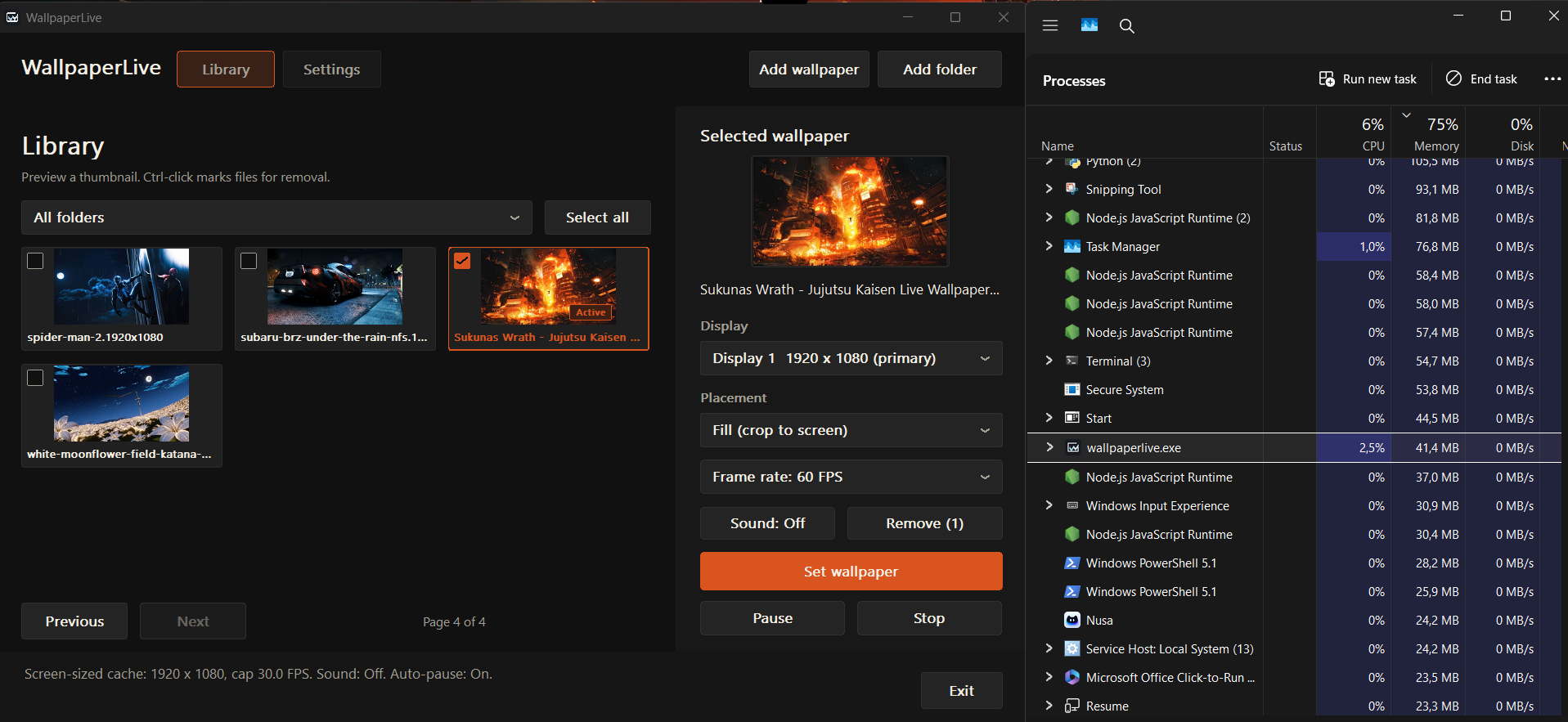
Control your desktop wallpaper
- Use videos, animated GIFs, or still images. The file picker accepts MP4, WebM, MKV, MOV, GIF, APNG, PNG, JPG, and other documented formats; decoding depends on libmpv and your GPU.
- Import individual files or folders and browse nine thumbnails per page. Search filenames, filter by folder, and assign the same file to All displays or different files per monitor.
- Choose Fill or Fit, cap playback at 24, 30, 45, or 60 FPS, and enable audio for at most one wallpaper. Audio is off by default.
- Auto-pause for fullscreen or maximized apps on the affected monitor. Battery power, session lock, and display sleep also pause playback. Manual Pause/Resume applies to every wallpaper.
- Keep playback in the system tray. Start with Windows is optional; Check for updates opens a newer release page only after confirmation.
WallpaperLive uses Rust and Win32 for its interface and libmpv for decoding. It is a separate project from Lively Wallpaper and does not supply an online wallpaper gallery.
How to set a video or GIF as your wallpaper
- Open the official Releases page and choose the Windows x64 installer. Follow your device security policy when reviewing the unsigned installer.
- Run Setup for your user account. If no matching local decoder is available, Setup asks before downloading libmpv. Follow the decoder instructions in the guide.
- Save a compatible video, GIF, or image on your PC. Choose Add wallpaper or Add folder in WallpaperLive.
- Select its thumbnail, choose the target display or All displays, then select Set wallpaper. Choosing a thumbnail alone only changes the preview.
- Adjust Placement, FPS, and Sound. Use Stop to remove live playback or Exit to close the app.
Where to find wallpapers opens a panel of third-party browsing links. Those sites provide their own media and terms; WallpaperLive does not download their wallpapers for you.
Requirements, cache, and resource use
| Item | What to know |
|---|---|
| Operating system | Windows 10 or Windows 11 on an x64 PC. |
| Decoder | Separate libmpv decoder, reused locally when compatible or downloaded with consent during Setup. |
| Cache | Oversized SDR videos can use display-sized cached copies. Originals remain in place. Cache preparation costs more than steady playback. |
| Multiple displays | Each active display has its own decoder. More screens can increase memory and GPU use. |
| Pause | The last frame and decoder remain attached for resume; pause does not mean all memory or VRAM is released. |
A historical v0.1.6 desktop snapshot showed 37.8 MB and 1.5% CPU. The 4K cache-preparation snapshot showed 437.5 MB and 42.4% CPU for the app and worker together. These are separate observations, not expected limits for your PC.