
TransparentBar
A transparent taskbar for Windows 11 and Windows 10
TransparentBar removes the taskbar background while keeping Windows icons and system controls in place. Your wallpaper stays visible behind pinned apps, with settings available from a native tray menu.

Windows 10/11 x64 · Free · MIT
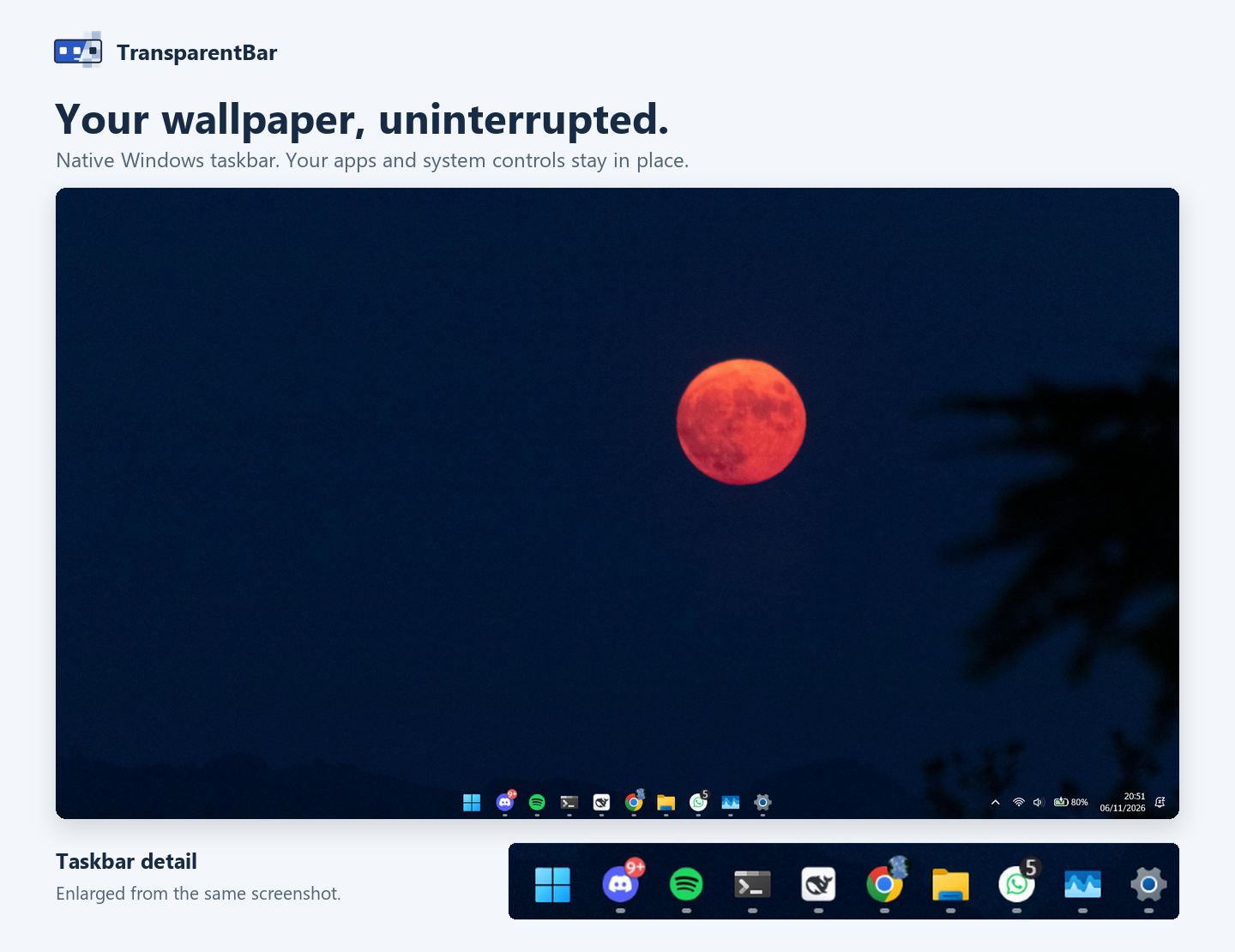
Taskbar transparency with tray controls
- Apply a clear taskbar background without blur or color effects, while preserving the existing Windows icons and controls.
- Optionally enable a connector strip along the visible bottom edge of a maximized window. Its colors follow nearby content; fullscreen windows hide the strip.
- Use Taskbar connector, Connector pattern, and Reduce connector animation in the tray to control the strip and its transitions.
- Enable Run at sign-in if you want startup with Windows. This option is off by default.
- Check GitHub Releases automatically or from the tray, then open the release page when an update is available. The app does not handle donation payments.
The interface is built with Rust and Windows APIs, without a browser engine. Screen samples for the connector stay in memory rather than being saved or uploaded.
How to make the Windows taskbar transparent
- Choose the installer or portable ZIP from the official Releases page. Normal use does not require administrator access.
- For portable use, extract the entire ZIP into a permanent folder. Keep the executable and versioned bridge DLL together.
- Close other taskbar customization tools, then open TransparentBar. Find its tray icon near the clock or in the tray overflow menu.
- Use Taskbar connector to enable or disable the maximized-window strip. Set Run at sign-in only if you want it.
- Choose Exit from the tray to restore the saved taskbar appearance. If Windows rejects restoration, the app reports an error and retains its saved state.
Compatibility and connector limits
| Item | Supported scope |
|---|---|
| Operating system | Windows 10 or Windows 11 on x64. ARM64 is not supported. |
| Taskbar | Separate legacy and XAML paths. Compatibility can change after Windows updates. |
| Connector | Primary and secondary bottom-docked taskbars with auto-hide off. Other placements and fullscreen windows hide it. |
| Screen sampling | A thin band above the overlay, not a capture of the whole application. Display sleep and session lock pause sampling. |
| Portable updates | Keep EXE and versioned bridge DLL together. If you move the folder, disable and re-enable startup from the new location. |
The v0.2.4 Task Manager capture showed 3.9 MB for the host and 0% rounded CPU, excluding the bridge inside Explorer. It is one snapshot, not a fixed memory budget or a guarantee for other Windows setups.